


Short answer: A smooth bookkeeping transition after Bench Accounting closure takes five steps: save every record you can export, decide what support your business now needs, choose software and a provider, rebuild and reconcile the books in the new system, and set a monthly routine so they stay current. For a Dallas business the order matters, because tax deadlines do not move.
Key takeaways
- Export statements, transaction history, payroll and tax documents first, and keep two backups.
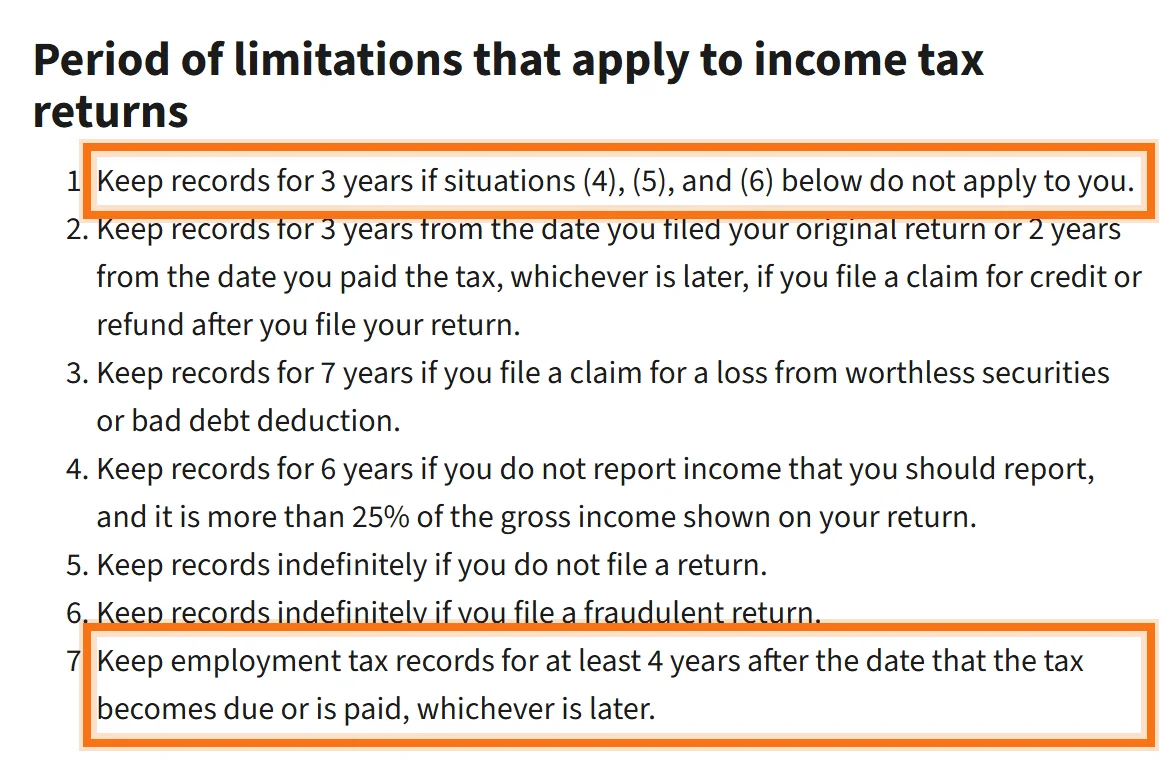
- The IRS generally expects records for 3 years after filing, and employment tax records for 4.
- Rebuild in software you own, such as QuickBooks Online, so a provider closing never locks you out again.
- Reconcile every bank, card and loan account before trusting any report from the new books.
- Missing months are a cleanup project; scope it separately from the monthly work.
Why the Bench Accounting closure still matters for your books
Bench Accounting, an online bookkeeping service used by many small businesses, shut down suddenly at the end of December 2024, right before year-end and tax season. Owners lost their usual way to get statements and had to find a new provider at the busiest time of year.
Even if you moved on quickly, it is worth checking that the transition was finished properly. Common gaps we see when books come over from an online service: months that were never fully categorized, accounts that were never reconciled, and opening balances that do not agree with the last statements the old provider produced. Any of these will surface later, at tax time or when a bank asks for financials.
The bookkeeping transition checklist at a glance
| Step | What to do | Done when |
|---|---|---|
| 1. Save your data | Export statements, transaction history, payroll and tax files; keep two backups | Every year you filed has a full set of files in two places |
| 2. Define your needs | List accounts, payroll, sales tax, reporting and advice you need | You have a written scope to give providers |
| 3. Choose a solution | Pick software you own and a provider with a review step | Engagement letter signed; software in your business name |
| 4. Rebuild and reconcile | Enter opening balances, bring in transactions, reconcile every account | Every account agrees with its statement, month by month |
| 5. Set a monthly routine | Agree on a close date and what you receive each month | First reviewed month-end package delivered |
How to read this table: do not skip to step 3 because finding a provider feels urgent. The “Done when” column is your proof each step is finished; if you cannot tick it, the next step will inherit the problem.
Step 1: Download and secure your Bench data
Start with what you can still reach. Save, for each year you have filed:
- Profit & Loss statements and Balance Sheets, monthly and annual.
- The full transaction history with categories.
- Bank, credit card and loan statements (download these from the banks too, not only from the old provider).
- Payroll reports, W-2s, 1099s and any sales tax filings.
- Tax returns and the year-end reports your CPA used.
Keep two copies: one in cloud storage your business controls and one offline. Name files by type and period, such as “2024-12 Balance Sheet,” so they are easy to find when the new books are set up.
Step 2: Decide what your business needs now
A closure is a good moment to ask whether the old setup was enough. Write down how many bank, card and loan accounts you have, whether you run payroll, collect sales tax or file 1099s, and what you want each month: just statements, or someone who explains them. If you have grown since you signed up, you may need a senior review of the books or management reporting, not only data entry.
Texas adds a few items to the list. If you collect Texas sales tax, note your filing frequency and the last period filed; if the business files a Texas franchise tax report each May, note who prepared the last one. A new provider needs both from day one, because a missed sales tax period or franchise report is harder to fix than a missed bookkeeping month.
Step 3: Choose software and a bookkeeping provider
Choose software you own. With QuickBooks Online or a similar cloud system in your business’s name, a provider can come and go without taking your books with it. Then choose who keeps them:
- Do it yourself: workable for very simple businesses with an owner who has the time.
- Another online service: lower cost, but ask who reviews the work and whether the books stay in software you control.
- A local or regional firm: named people, a review step and someone who can explain the numbers.
Our guide on how to choose a Dallas bookkeeper lists the questions to ask in the first call.
Step 4: Migrate and reconcile your financial data
Moving books from one provider to another is usually a rebuild, not a file transfer. The work goes in this order:
- Opening balances from the last reliable balance sheet, checked against bank and loan statements for the same date.
- Transactions brought in through bank feeds or imports, then categorized consistently.
- Reconciliation of every bank, card and loan account to its statement, month by month.
- Review of the resulting statements by someone other than the person who entered them.
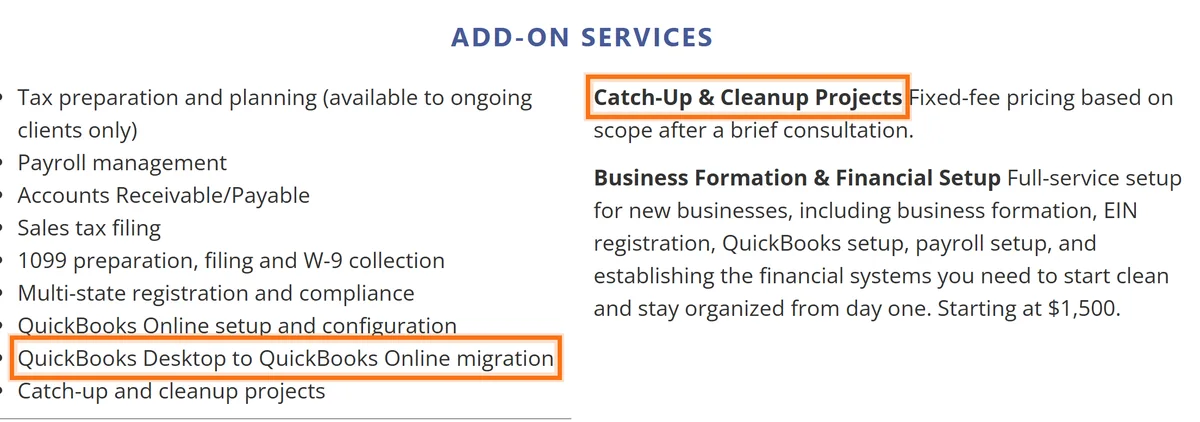
If months are missing or the old books never reconciled, treat that as a separate cleanup project with its own scope and price. Our QuickBooks cleanup checklist shows what that work covers, and switching bookkeepers covers the handoff from any provider.
Step 5: Build a monthly routine that keeps the books current
The transition is finished when the books stay current without a rescue. Agree on a monthly close date, on who reviews the statements, and on what you receive: at least a Profit & Loss, Balance Sheet and Statement of Cash Flows, with a short summary of what changed. Add a year-end package for your CPA so tax season is a handoff, not a scramble.
How LUCI Financial Solutions helps Dallas businesses after a provider closes
LUCI is a Dallas–Fort Worth bookkeeping and financial operations firm for established service businesses, typically those earning $250K or more a year. Onboarding is a one-time fixed fee: we review the books, set up workflows and configure reporting. If we find significant catch-up or cleanup work, you receive a separate fixed-fee proposal before it starts. Monthly work then follows the Core plan: transactions categorized in QuickBooks Online, every account reconciled, a senior review and a monthly reporting package. See bookkeeping cleanup in Dallas or bookkeeping services in Dallas.
Frequently asked questions about moving your books after Bench
What should I do first after Bench Accounting closed?
Download and save everything you can still reach: financial statements, transaction history, bank and card statements, payroll reports and tax documents. Then confirm which months are complete and which were never finished.
How far back should my records go?
The IRS generally expects you to keep records for 3 years after you file a return, and employment tax records for at least 4 years. Some situations call for longer periods, so keep everything you can export and ask your CPA before discarding anything.
Can my Bench books be moved into QuickBooks Online?
Usually the history is rebuilt rather than moved file to file: opening balances are entered from the last reliable balance sheet, transactions come in through bank feeds or imports, and every account is reconciled to its statements. How far back to rebuild depends on what your tax preparer needs.
How long does a bookkeeping transition take?
It depends on how many months are missing and how many accounts you have. A business with current, exported records can be set up within a few weeks; one with months of unrecorded activity needs a cleanup project first.
What should a bookkeeping transition checklist include?
Data export and backups, a list of all bank, card and loan accounts, opening balances, software setup, catch-up of missing months, reconciliation of every account, a first reviewed month-end package and a monthly schedule going forward.
Can LUCI Financial Solutions take over books after Bench?
Yes. LUCI works in QuickBooks Online for established Dallas–Fort Worth businesses. Catch-up and cleanup are scoped as a separate fixed-fee project, and monthly bookkeeping with a senior review starts once the books are current.
Books that stay yours
Rebuilt, reconciled and reviewed in software you own, then kept current every month. See bookkeeping cleanup in Dallas.